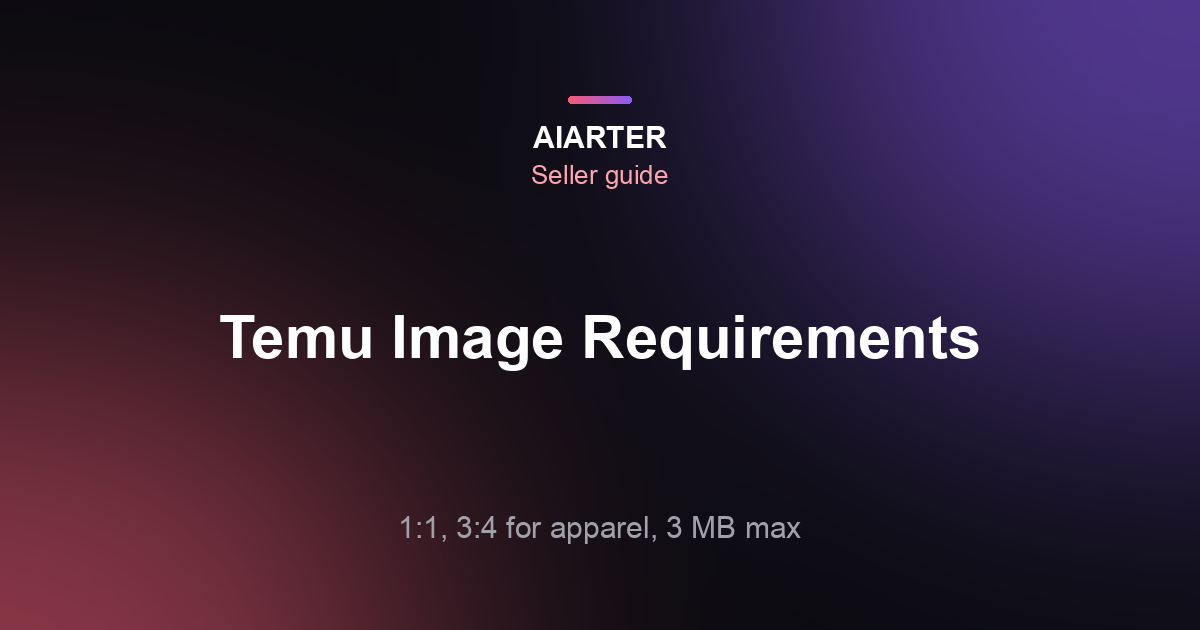
Temu product image requirements, in short: Temu's seller documentation asks for square (1:1) carousel images of at least 800×800 px for non-apparel products, and 3:4 portrait images of at least 1340×1785 px for apparel. Each image must be 3 MB or smaller, in JPEG, JPG or PNG. The first image of each color variant becomes its preview image.
More on this topic: Marketplace image requirements, every guide in one place.
Temu's rules are short, but the two ratios catch sellers out: clothing must be portrait, everything else square, and files must stay under a 3 MB cap that a full-resolution phone photo easily exceeds. This guide lays out the specs, a practical size to export at, how to prepare apparel and non-apparel images, and how to fix photos that get rejected for size or ratio. The free image resizer exports exact custom sizes, and the image compressor brings files under 3 MB, both in your browser.
- Non-apparel: 1:1 square, at least 800×800 px.
- Apparel: 3:4 portrait, at least 1340×1785 px.
- File: 3 MB or less; JPEG, JPG or PNG.
- Preview: the first image of each color variant is used as its preview image.
- Export bigger than the minimum: 1600×1600 or 1500×2000 px stays sharp and still fits under 3 MB as a JPG.
What are Temu's product image requirements?
Square images of at least 800×800 px for non-apparel, portrait 3:4 images of at least 1340×1785 px for apparel, each up to 3 MB in JPEG, JPG or PNG. These figures come from Temu's partner (seller) documentation for carousel images.
| Spec | Non-apparel | Apparel |
|---|---|---|
| Aspect ratio | 1:1 (square) | 3:4 (portrait) |
| Minimum size | 800×800 px | 1340×1785 px |
| Max file size | 3 MB | 3 MB |
| Formats | JPEG, JPG, PNG | JPEG, JPG, PNG |
| Variant preview | First image of each color variant | First image of each color variant |
| Recommended export | 1600×1600 px JPG | 1500×2000 px JPG |
Temu's carousel image specs in its seller partner documentation were checked in October 2026. Marketplaces change their rules, so confirm the current requirements in your seller dashboard before you upload a large batch.
Integration guides from multichannel tools also mention that apparel listings need 3 to 10 carousel images and that some categories require extra files, such as manuals or labels. Temu applies rules by category and updates them, so check the image guidance in your Seller Center for your category before uploading a large batch.
What size should Temu apparel images be?
At least 1340×1785 pixels in a 3:4 portrait ratio. A practical export is 1500×2000 px, which is exactly 3:4, comfortably above the minimum, and usually well under 3 MB as a JPG at 80–85% quality.
| Size | Ratio | Use |
|---|---|---|
| 1340×1785 px | 3:4 | Temu minimum for apparel |
| 1500×2000 px | 3:4 | Recommended export |
| 2250×3000 px | 3:4 | Master file; compress before upload |
- Shoot portrait: frame clothing vertically with a little space above and below, so the 3:4 crop doesn't cut off a hem or neckline.
- Flat lays and ghost mannequin work well in 3:4; see the ghost mannequin effect.
- Same framing for every color, since the first image of each variant is its preview.
Portrait 3:4 is also what Poshmark switched to; our Poshmark and Depop photo size guide covers shooting for it, and how to photograph clothes for selling online covers the rest.
What size should Temu non-apparel images be?
At least 800×800 pixels, square. Export at 1600×1600 px so details stay sharp when shoppers zoom, and keep the product filling about 85% of the frame so it reads at thumbnail size.
- Crop or pad the photo to a square. The free square image maker pads with white or a color so nothing is cut off.
- Resize to 1600×1600 px in the free resizer (custom size).
- Save as JPG at about 80–85% quality; use PNG only for graphics.
- Check the file size: if it's over 3 MB, run it through the free compressor.
For the same product on other marketplaces, a 2000×2000 master covers Amazon and Shopify too; see Amazon product image requirements and TikTok Shop product image requirements.
How do I turn a square clothing photo into a 3:4 Temu image?
Pad it rather than crop it. A square photo is wider than 3:4, so cropping to portrait cuts off the sleeves or sides of the garment; adding background above and below keeps the whole item in frame.
- Open the free resizer and choose a custom size of 1500×2000 px.
- Choose fit with padding and pick white (or the exact background color of your photo) so the added space blends in.
- Check that the garment fills most of the width; if it now looks small, reshoot in portrait or crop a little tighter before padding.
- Export as JPG and confirm the file is under 3 MB.
Padding keeps the original width, so a square narrower than 1340 px needs upscaling first to clear Temu's minimum width for apparel.
Why is my Temu image rejected?
Most rejections come from the wrong ratio, a file over 3 MB, an image below the minimum size, or an unsupported format such as WebP or HEIC. Check those four first.
| Problem | Cause | Fix |
|---|---|---|
| Wrong ratio | Square apparel photo, or 4:5 / 3:2 photo | Re-export at 3:4 (apparel) or 1:1 |
| File too large | Full-size phone photo, often 4–8 MB | Compress to under 3 MB |
| Too small | Supplier image under 800 px, or apparel under 1340×1785 | Upscale with AI, then resize |
| Wrong format | WebP, HEIC or AVIF | Convert to JPG |
| Blurry after upscale | Original too small or heavily compressed | Reshoot or use a better source |
iPhone photos are HEIC by default; the free HEIC to JPG and WebP to JPG converters fix the format in your browser. For small supplier images, the AI upscaler enlarges them 4× for 3 credits, so a 400 px image becomes 1600 px.
A 1600×1600 or 1500×2000 JPG at 80% quality is usually a few hundred kilobytes to about 1 MB. Resize first, then compress: compressing a full 12-megapixel photo alone often still leaves it over the limit. The compress to 1 MB tool sets a target size for you.
What should Temu carousel images show?
Lead with a clean image of the product on a plain background, then show angles, details, scale and use. Temu shoppers browse fast on phones, so the first image must make the product obvious at a glance.
| Position | Non-apparel | Apparel |
|---|---|---|
| 1 | Product on white or light background | Front view, on model or flat |
| 2 | Second angle or back | Back view |
| 3 | Close-up of material or key feature | Fabric and detail close-up |
| 4 | Scale (in hand, next to a common object) | Fit on model or size reference |
| 5 | In use or lifestyle | Styled outfit |
| 6+ | Contents, packaging, dimensions | Size chart graphic, other colors |
AiArter's white background tool turns a phone photo into a clean white product image for 4 credits, keeping the product exactly as photographed. Our how many product photos per listing guide explains the order in more detail.
Turn supplier or phone photos into clean white product images, then export them at Temu's sizes with the free resizer.
Try product photos7 days free · 50 credits · No credit cardSelling fashion on SHEIN as well? See SHEIN product image requirements.
Frequently asked questions
What size are Temu product images?
Non-apparel images are 1:1 squares of at least 800×800 px; apparel images are 3:4 portrait of at least 1340×1785 px.
What is the maximum image file size on Temu?
3 MB per image, per Temu's seller documentation for carousel images.
What image formats does Temu accept?
JPEG, JPG and PNG. Convert WebP, HEIC and AVIF files to JPG first.
What aspect ratio does Temu use for clothing?
3:4 portrait. A 1500×2000 px export meets the minimum with room to spare.
How many images can I add to a Temu listing?
Integration guides list 3 to 10 carousel images for apparel. Check your Seller Center for your category's current limits.
Why does Temu reject my product photos?
Usually the ratio is wrong, the file is over 3 MB, the image is under the minimum size, or the format isn't JPG or PNG.
Can I use the same images on Temu and Amazon?
Yes for non-apparel squares: a 2000×2000 master resized to 1600×1600 and compressed works on both. Apparel needs a separate 3:4 export for Temu.
Make white product images and lifestyle scenes, upscale small supplier photos, and export the exact sizes each marketplace asks for.
Start free trialSee pricing7 days free · 50 credits · No credit card. Trial images carry a small “Made with aiarter” mark; paid plans export clean files you can use commercially.