
Make a before and after image from two photos
Show the difference your product, service or edit makes. Add a before and an after photo, pick a layout and labels, and download one image sized for social posts and ads.
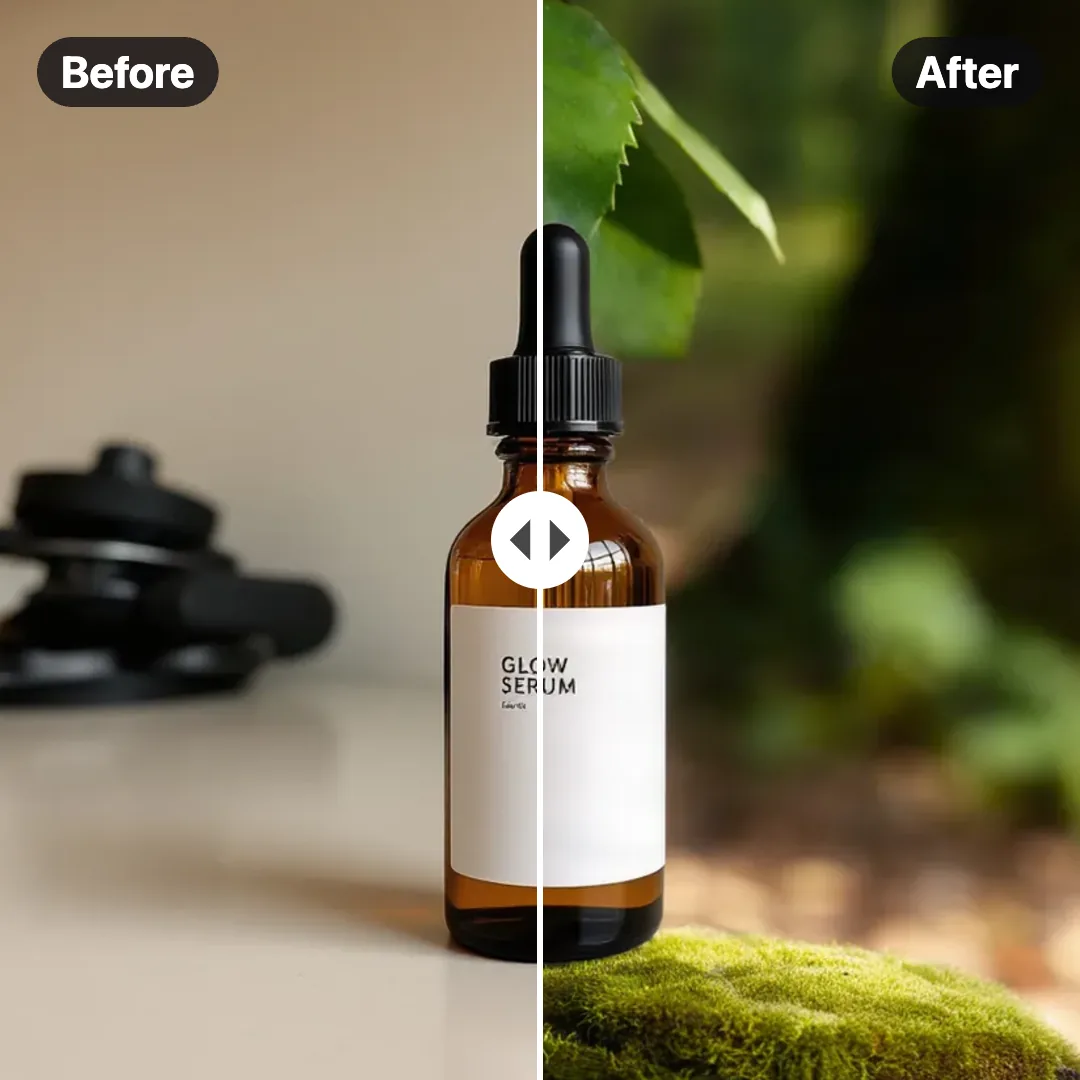
Before and After Image Maker
No sign-up. Your photo never leaves your device.
Fill crops each photo from its center to cover its area. Fit shows the whole photo with the background color around it. In the diagonal and slider layouts both photos cover the full image, so line them up by using photos taken from the same spot.
Have an old, faded or scratched photo for the before side? Restore it with AI →
Show a plain product photo next to a styled one: make a new background with AI →
Need the clean version for a listing? Make an Amazon-ready white background →
Everything you need, nothing you don't
Four layouts
Side by side, top and bottom, a diagonal split or a slider-style split with a handle.
Editable labels
Before and After by default. Change the text, size, position and pill style.
Social and ad sizes
1080 × 1080, 1080 × 1350, 1200 × 628 and 2000 × 1000 pixels.
Fill or fit
Crop each photo to fill its area, or show the whole photo on a background color.
Divider style
Pick the divider color and width, or hide it.
Private by design
The image is made on your device. Your photos are never uploaded.
Done in 3 steps
Add two photos
Drop the before photo and the after photo. JPG, PNG, WebP and HEIC work.
Pick a layout
Choose the layout, size, labels and divider while you watch the preview.
Download
Save the image as JPG or PNG.