
Home/Free tools/Invoice generator
Free invoice maker

A professional invoice in two minutes

Fill in your business, your customer and the items, and watch the invoice build as you type. Download it as a PDF with selectable text, or switch to a packing slip for the same order.
Free, no sign-upRuns in your browserYour invoice details never leave your device
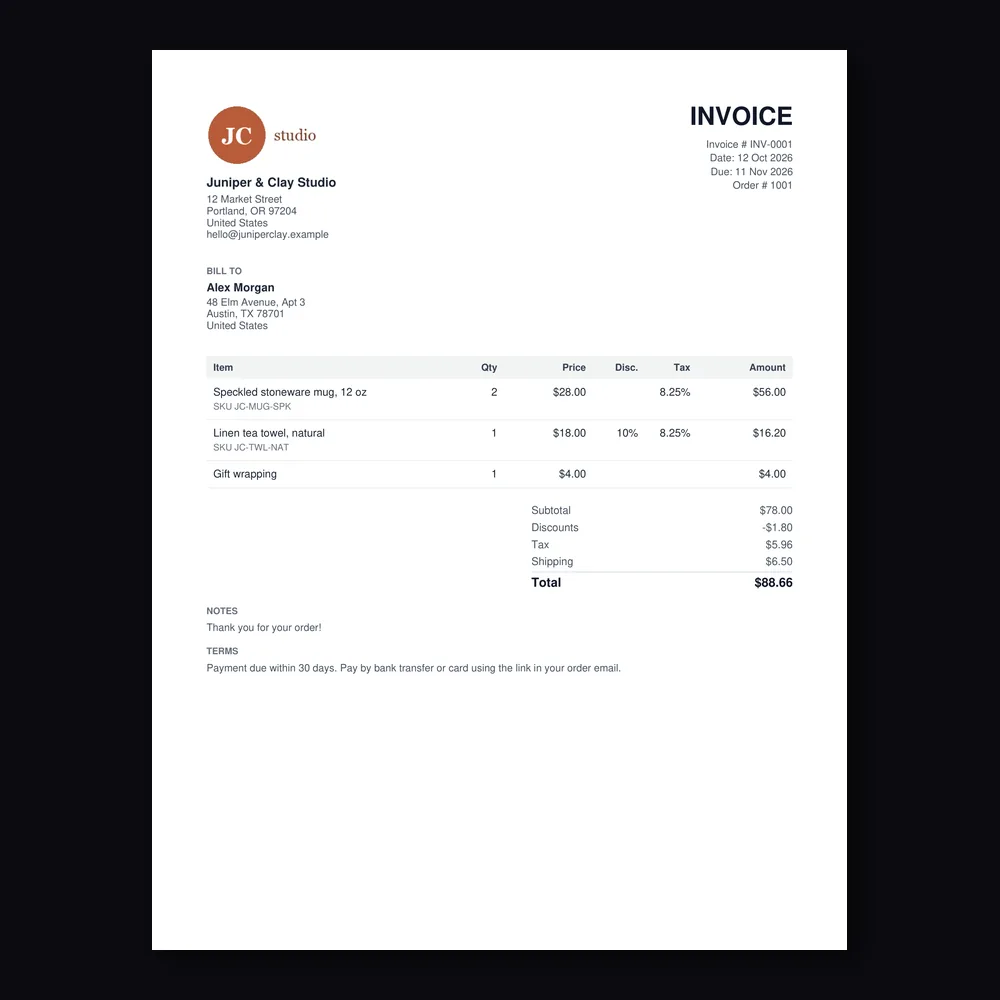
An invoice made with this tool: a logo, 3 items with 8.25% tax and a 10% discount, plus shipping, as a PDF
Free · runs in your browser

Invoice Generator

No sign-up. What you type never leaves your device.

Make a
Document
From (your business)
Logo (optional, PNG, JPG or WebP)
Customer
Items
Totals
Notes

The starting details are an example, so replace them with yours. This tool doesn't check tax rules. Find out what your country requires on an invoice, such as a VAT number or sequential numbering.

Features

Everything you need, nothing you don't

Real PDF

Text in the PDF is selectable and searchable, on US Letter or A4.

Tax and discounts

Set a tax rate and a discount on each line, plus shipping and any amount already paid.

Your logo

Add a PNG, JPG or WebP logo. It's resized in your browser before it goes into the PDF.

Packing slip mode

The same order as a packing slip: SKUs, quantities and check boxes, with prices hidden.

Seven currencies

USD, EUR, GBP, CAD, AUD, INR and BDT, with numbers and dates in your browser's format.

Drafts stay local

Save a draft in this browser to reuse your details next time. Nothing goes to a server.

How it works

Done in 3 steps

01

Add your details

Your business, logo, customer and invoice number and dates.

02

List the items

Description, SKU, quantity, price, tax and discount for each line.

03

Download the PDF

Check the live preview, then download the invoice or a packing slip.

FAQ

Questions about invoice generator

Is the invoice generator free?
Yes. It's free with no sign-up, no watermark and no limit on invoices.
Are my invoice details uploaded?
No. The preview and the PDF are made in your browser. Your invoice details never leave your device. The PDF library loads from a public CDN the first time you download, and nothing you type is sent with it.
How does Save draft work?
It keeps your details in this browser's local storage, so they're filled in the next time you open the page on this device. The draft stays only in this browser: it isn't sent to us, doesn't sync to other devices, and is lost if you clear your browsing data. Use Delete saved draft to remove it.
Is this invoice valid for tax purposes?
This tool doesn't give tax or legal advice and doesn't check your invoice against any rules. Countries set their own requirements, such as a VAT or GST number, sequential invoice numbers, or tax shown per rate. Check what your country requires, or ask an accountant.
How are tax and discounts worked out?
Each line is quantity × unit price, less its discount %. Tax is that line's tax % of the discounted amount. Shipping is added after tax and isn't taxed. Amounts are rounded to the currency's cents on each line.
Why are some characters missing from my PDF?
The PDF uses a built-in font that covers English and Western European letters, the euro sign and common punctuation. Other scripts, such as Chinese, Arabic or Bengali, show in the preview but are left out of the PDF, and the tool tells you which ones. Currencies like ₹ and ৳ are written as INR and BDT.
Can I make a packing slip for the same order?
Yes. Pick Packing slip at the top. It uses the same items and address but hides prices and adds a check box for each line and lines for who packed and checked the order.

Make an invoice today

14 days free, 200 credits, no card.

Start free trial
✖