
Home/Free tools/UTM builder
Free UTM builder

Tag your links and see which ads sell

Build campaign links with UTM tags so your analytics shows which ad, post or email sent each visit and sale. Pick a channel preset, name the campaign and copy the link.
Free, no sign-upRuns in your browserYour links never leave your device
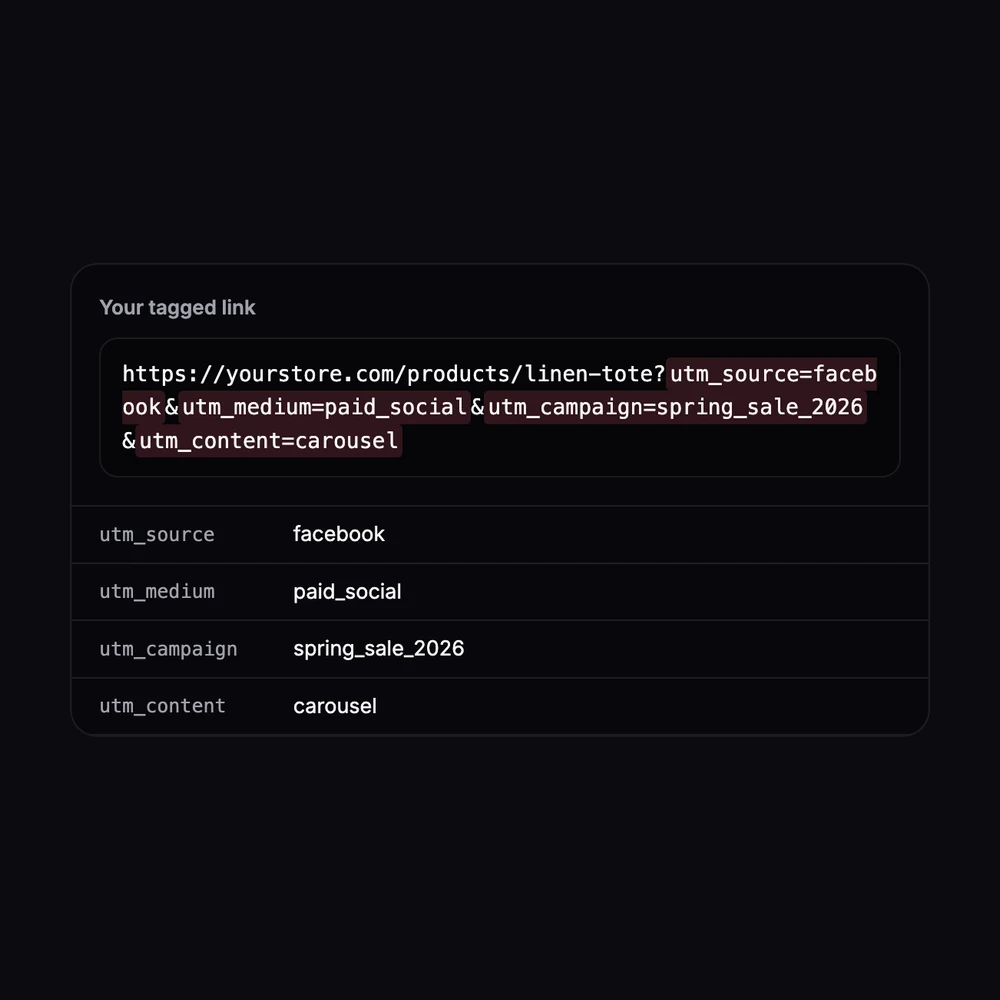
A product link tagged for a Facebook carousel ad in a spring sale campaign
Free · runs in your browser

UTM Builder

No sign-up. Your links never leave your device.

Campaign tags
Replace spaces with

The presets use mediums that Google Analytics 4 recognizes in its default channel groups (paid_social, social, email, cpc). If Google Ads auto-tagging is on, Google Ads clicks are tracked without UTM tags.

Your tagged link
How it’s built
  • Each tag is added as a query parameter, such as ?utm_source=facebook&utm_medium=paid_social, after any parameters the link already has.
  • UTM tags already in the link are replaced, and a #section anchor stays at the end where browsers expect it.
  • Tags are trimmed, spaces are replaced as you chose, and special characters are percent-encoded so the link stays valid.
  • Blank optional tags are left out.
Test link

Need ad creative for this campaign? Make images with the AI image generator →

Running video ads? Turn a product photo into a video →

Features

Everything you need, nothing you don't

All six UTM tags

Source, medium, campaign, campaign ID, term and content.

Channel presets

Facebook, Instagram, TikTok, Pinterest, email newsletter and Google Ads.

Clean, consistent tags

Lowercase and spaces replaced, so “Spring Sale” and “spring_sale” don't split your reports.

Safe with any link

Keeps existing parameters and #anchors, and replaces old UTM tags instead of doubling them.

Warnings

Tells you when source, medium or campaign is missing.

Private

Built in your browser. Nothing is sent or saved.

How it works

Done in 3 steps

01

Paste your link

A product, collection or landing page.

02

Fill in the tags

Pick a channel preset, then name the campaign. Term and content are optional.

03

Copy the link

Use it in your ad, post, bio or email.

FAQ

Questions about utm builder

Is the UTM builder free?
Yes. It's free with no sign-up and no limits.
Are my links stored or sent anywhere?
No. The link is built in your browser. Your links never leave your device.
What are UTM parameters?
Short tags added to the end of a link, such as ?utm_source=facebook&utm_medium=paid_social. Analytics tools such as Google Analytics read them to show which campaign, site and ad sent each visitor.
Which tags do I need?
Source (where the click comes from, such as facebook), medium (the type of traffic, such as paid_social or email) and campaign (your name for the promotion). Term and content are optional: use content to tell two ads or links in the same campaign apart.
Why lowercase?
UTM values are case-sensitive in Google Analytics, so “Facebook” and “facebook” show up as two sources. Keeping everything lowercase keeps reports tidy.
Do I need UTM tags for Google Ads?
Usually not: with auto-tagging on and your Google Ads and Analytics accounts linked, clicks are tracked on their own. Use the Google Ads preset when auto-tagging is off or you track clicks in another tool.
Can I use UTM links for Amazon or Etsy listings?
UTM tags are read by the analytics on the site the link opens, so they work best on links to your own store. For marketplace listings, use the marketplace's own traffic reports and tracking options.

Build a UTM link today

7 days free, 50 credits, no card.

Start free trial
✖